

New Addition to YardMaps
Published March 18, 2026
A new update to YardMaps adds a layer for tool room locations in the shipyard.
To access the tool room layer:
- Click the “Open Layers Panel” button on the top left of YardMaps
- Find the “Miscellaneous” menu and click the blue drop-down arrow
- Locate the “Toolrooms” option and click the eye icon to the right
- Toolrooms are now visible as green boxes
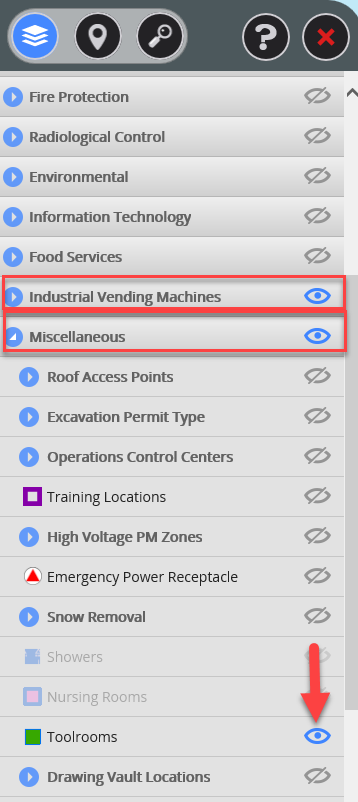
With the layer active, click the cog icon on the top right, activate the italicized “i,” and select a specific green box to view important information about that toolroom, such as which shifts the crib services.
Other layers include industrial vending machines, nursing stations and food services.